
How to Read an Amazon Search Term Report Before Changing Your Campaigns
An Amazon search term report shows the terms and product-page matches associated with clicks on your ads. Use it to find rows worth investigating, then check the product and targeting behind each row before changing anything. A term that performs badly for one product can work for another.
Start with a copy of the report. Keep the campaign and ad group attached to every row, and add a column for your proposed action. You’ll need that context when you go back into the account.
Know what the search term column actually contains
Your keyword or target is the instruction you gave Amazon. The search term is what Amazon reports against the resulting ad traffic, which can differ from that instruction.
Amazon’s current definition includes terms inferred from non-search contexts, so you can’t assume every phrase was typed into a search box. An alphanumeric entry can be an ASIN identifying a product detail page where your ad appeared. The report also includes only terms with at least one click, which means its impression total can differ from Campaign Manager. Amazon’s search term report documentation
An absent row doesn’t prove there was no demand. And an ASIN belongs in a product-targeting review, where you can inspect the product it represents.
Set the report up for a decision you can trace
In the advertising console, open Reporting under Measurement & Reporting. Amazon’s unified reporting experience lets you start with a template or build a custom report. Select the account, ad product and search-term detail you need, then set the date range. Check the available dimensions for that report before exporting. Amazon’s unified reporting announcement
Keep enough information to get back to the source. Campaign and ad group IDs help distinguish records with similar names. Preserve the keyword or target and match type where available, along with cost, clicks and the sales or purchase metrics you’re using.
If the export doesn’t identify the advertised product, look it up in the ad group. Don’t label an entire ad group’s search-term history with one ASIN when the group contains several products.
Write the reporting period and export date above your working table. Also record the attribution window on the sales metric. Recent attributed sales can change as purchases are credited to earlier ad interactions, and attributed sales can include products beyond the advertised item depending on the campaign type. Amazon’s attribution documentation
That matters when you’re deciding whether a term has had enough time to produce an order. Use the reporting window that applies to your data; a universal wait-two-days rule won’t account for every case.
Review relevance before performance
Read the term alongside the product it matched.
Suppose you sell a glass replacement carafe. A search for an entire coffee maker deserves a different review from a search for a replacement carafe that fits your model. The first may be a mismatch. The second may be exactly the traffic you want, even if it hasn’t converted yet.
Open the product listing when the distinction depends on compatibility, size or what’s included. A phrase that looks wrong in a spreadsheet can make sense once you see the product. Record the reason for any relevance judgment so the next person doesn’t have to reconstruct it.
For a clearly incompatible search, you already have a reason to consider an exclusion. For a relevant search with no orders, you still need to decide how much evidence and cost you’re willing to accept.
Read cost and orders together
Sort by cost to put the largest exposures near the top. Then read across each row.
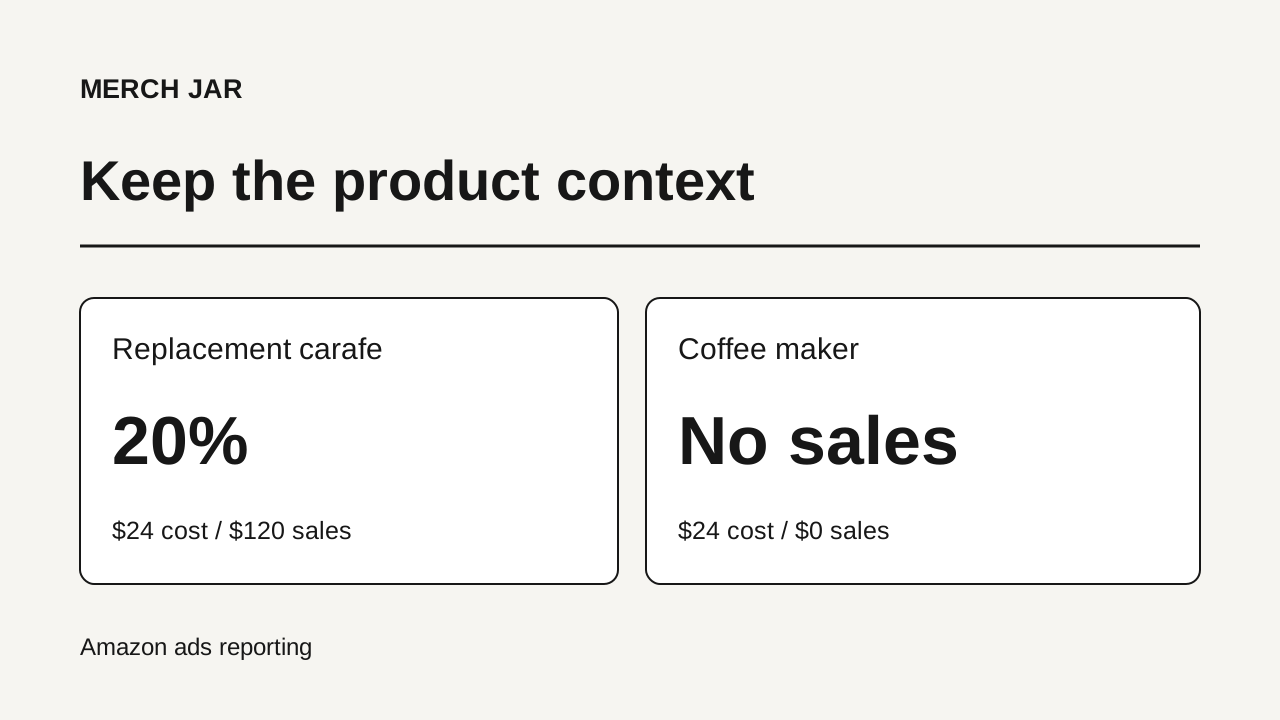
Take a worked example with invented data for the same search term, glass coffee carafe, in two ad groups. Assume both periods have had time for the selected attribution window to settle.
| Ad group | Product | Clicks | Cost | Attributed sales | ACoS |
|---|---|---|---|---|---|
| Replacement carafe | Replacement part | 30 | $24 | $120 | 20% |
| Coffee maker | Complete appliance | 20 | $24 | $0 | Undefined |
Combined, the term has $48 in cost and $120 in attributed sales, or 40% ACoS.
If you use that combined figure to make one account-wide decision, you lose the difference between the two products. The replacement part is producing sales at 20% ACoS. The appliance needs a closer look at relevance and its own evidence.
Zero sales also means you can’t calculate ACoS by dividing cost by sales. A blank cell isn’t a favorable result. For that row, use the dollars spent and clicks received, together with what you know about the product’s conversion behavior.
The 20% row still needs an economic target. Whether that’s acceptable depends on the product’s margin and the purpose of the campaign. Our guide to choosing a target ACoS covers that calculation.
Aggregate to find patterns, then return to the source rows
Once you’ve reviewed the largest rows, group repeated terms to see their combined cost. This can reveal exposure spread across several campaigns that looked minor one row at a time.
Keep the original rows intact. A summary tells you where to investigate; the source records tell you where a change would apply.
Separate products with materially different economics. Keep currencies separate unless you’ve deliberately converted them to a common currency. And recalculate a combined ACoS from total cost divided by total attributed sales. Averaging the individual percentages gives small rows the same influence as large ones.
A recurring word can be useful evidence, too. Before turning it into a phrase exclusion, inspect the terms containing that word, including the ones with orders. You need to know which useful traffic the broader exclusion could remove. The free search term report analyzer adds up spend and orders by word and phrase, and lists the terms behind each one.
Turn the review into a change list
Add a proposed action and a reason to each row that needs attention.
| Finding | Record before taking action |
|---|---|
| The search is incompatible with the product | Why it doesn’t fit and where the exclusion belongs |
| Relevant traffic is costing more than you accept | The cost, data period and product-level target behind the decision |
| A term is converting within your target | Where it already runs and whether separate targeting would help |
| The evidence is still thin or recent | What you’re waiting to learn and the next review date |
This is where the report review ends and implementation begins. Choose the exclusion’s match type and scope before applying it. The auto campaigns guide covers moving useful discoveries into manual targeting.
Before applying a batch, check the campaign and ad group scope on every proposed change. Save the original export with your notes. At the next review, you’ll have the exact rows and reasons to compare with what happened afterward.